Making a Nutrition Label
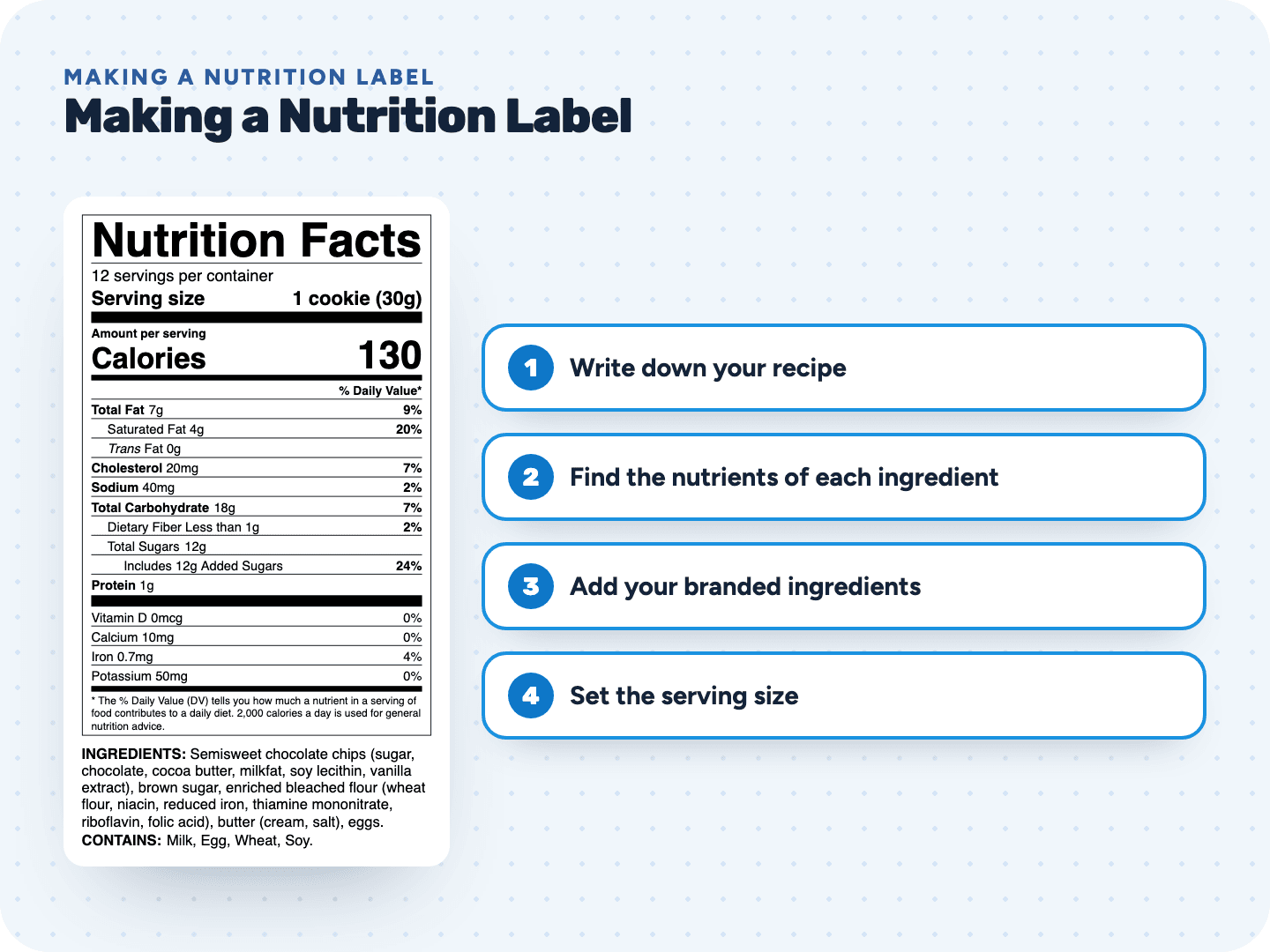
Making a nutrition label comes down to this: list your recipe with amounts, look up the nutrients of each ingredient, divide by your servings, round every value with the FDA rules, then add the ingredient list and allergens. Our free tool does the lookups and the math, so you can create your own Nutrition Facts label in one sitting.
Follow along with the free tool
Every step below happens in the same screen. No account needed.
Making a nutrition label in 7 steps
This is the same order a food scientist would follow. The tool handles steps 2 to 6 for you.
- 1Write down your recipeList every ingredient with its amount for one batch: "2 1/4 cups flour", "8 oz butter", "3 eggs". Note how many pieces the batch makes.
- 2Find the nutrients of each ingredientLook up each ingredient in USDA FoodData Central, the government's food composition data. Use the entry that matches what you buy.
- 3Add your branded ingredientsFor chocolate chips, sauces or mixes, copy the numbers from the supplier's own Nutrition Facts panel.
- 4Set the serving sizeStart from the FDA reference amount for your food type, then state it in a household measure (1 cookie, 2 tbsp) and in grams. Work out servings per container.
- 5Round every value the FDA wayEach nutrient has its own rule. 47 calories becomes 45, 143 mg of sodium becomes 140. Then work out the % Daily Values.
- 6Write the ingredient list and allergensList ingredients from heaviest to lightest, then add a "Contains" line for any of the 9 major allergens.
- Pick a format and printChoose the label layout that fits your package, then export a file for your designer or print on label sheets.
Three ways to get the numbers
Pay only when you print
Questions about making a nutrition label
Something else? Send us a question. We reply by email as soon as we can.
Yes. The FDA does not approve individual food labels before you sell. You are responsible for getting the label right, which is why we show the source and rounding of every number.
Your recipe with amounts, how many servings or pieces a batch makes, and the Nutrition Facts of any branded ingredients you use.
Not always. Many small food brands calculate their labels from the recipe. A lab makes sense for foods that change a lot when cooked, or ingredients without good data.
You can build the whole label and preview it for free; the free preview hides some values until you unlock it. To download and print it without the preview mark, it's $29 per label, or less in a bundle. Start a label →
Some very small sellers are exempt, as long as they make no nutrition claims. Our free checker walks you through the common exemptions.
Related pages
See your label before you pay anything
Free preview, no account. $29 when you're ready to print.