How to Create a Supplement Facts Label
Create a Supplement Facts label in four steps: set the serving size in the unit people take, list each dietary ingredient with its amount per serving, add % Daily Value where the FDA has one, and put capsule shells and fillers under "Other ingredients". Here are the steps for your first product, and a tool that does the math.
Your first panel, free to build
Follow the steps in the tool. You only pay when the label is ready to print.
Create your Supplement Facts label in six steps
Keep your formula and your suppliers' spec sheets next to you.
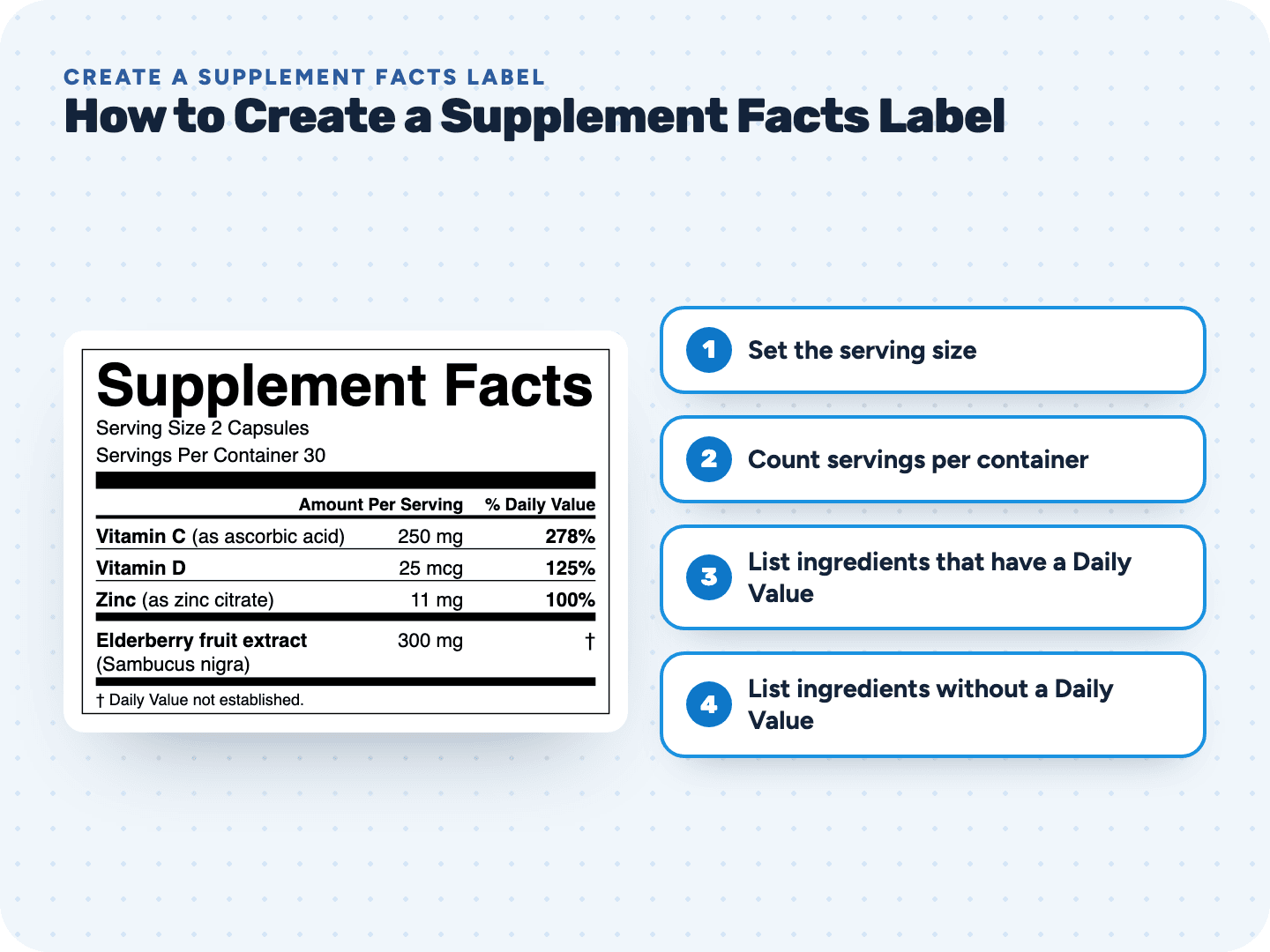
- 1Set the serving sizeUse the most your directions tell people to take at one time, like "2 Gummies". No directions? Then a serving is 1 unit.
- 2Count servings per containerDivide the units in the bottle by the serving: 60 capsules at 2 per serving is 30 servings.
- 3List ingredients that have a Daily ValueVitamins and minerals, plus calories, carbs and sugars for a gummy or powder that has them. Enter the weight of the nutrient, like the zinc in zinc citrate.
- 4List ingredients without a Daily ValueHerbs, extracts and other dietary ingredients go below the bar with a †. Name the plant part: "Ashwagandha (root) extract".
- 5Decide on a proprietary blendGive it a name and a total weight, and list its ingredients by weight, heaviest first. You don't have to show each one's amount.
- Write "Other ingredients"Below the panel, list everything else: capsule shell, fillers, flavors, colors. Then preview and download.
Four kinds of ingredients, four places on the label
A common first mistake is putting everything in one list. This is where each kind belongs.
Pay only when you print
Creating your first Supplement Facts label
Something else? Send us a question. We reply by email as soon as we can.
The most your directions tell people to take at one time. If the bottle says "take 2 gummies", the serving size is 2 Gummies and every amount on the panel is for those 2.
Usually, yes. You can leave it off only when your net quantity statement already gives the number of servings.
In the ingredient list right below the panel. When you name sources inside the panel, like "(as zinc citrate)", that list starts with "Other ingredients". Capsule shells, binders, flavors and colors all belong there.
No, only the blend's total weight. Vitamins and minerals inside a blend are the exception: they still get their own line with an amount and % Daily Value.
Yes. A botanical is named with the part it comes from, like root, leaf or fruit, both in the panel and in the ingredient list.
No. The front also needs a statement of identity with the words "dietary supplement" or a term like "vitamin C supplement". Our Supplement Facts requirements page walks through the rest of the bottle.
Related pages
See your label before you pay anything
Free preview, no account. $29 when you're ready to print.