Food Label Design
Food label design has two halves: the artwork that sells your product, and the panels the FDA writes the rules for. We make the second half. Enter your recipe and get the Nutrition Facts panel, the ingredient list and the allergen statement as a vector SVG and an actual-size PDF. Your designer places it and gets back to the fun part.
Design around the real panel, free
Build the panel from your recipe before the dieline is final. No account.
Where each part of a food label goes on the package
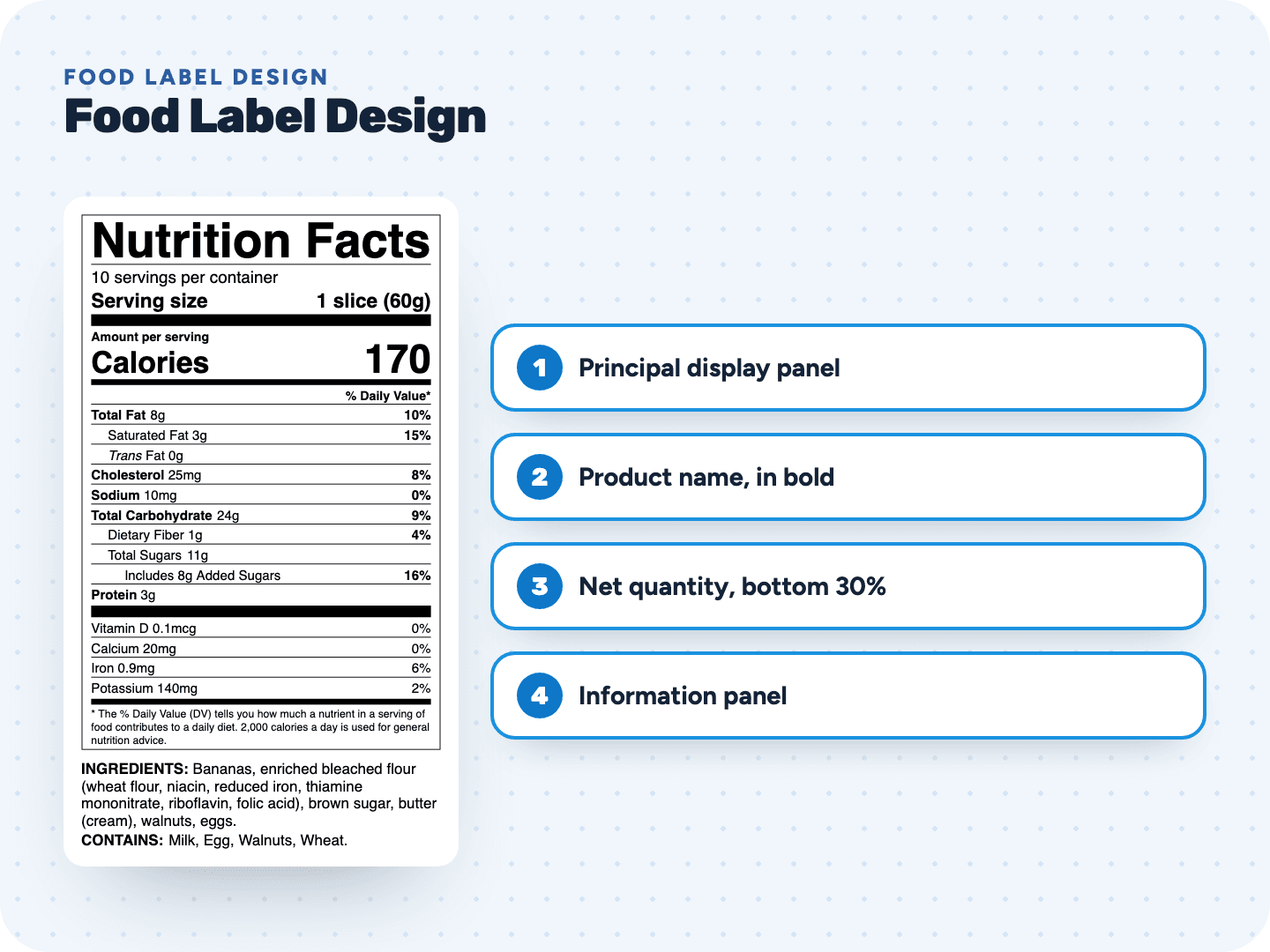
FDA splits a package into a front panel and an information panel. Plan the design around both.
How big the panel is, and how to measure your front
Know these numbers before your designer locks the dieline.
Hand the SVG to your designer
- 1Finish the recipeConfirm each ingredient match and allergen, and clear anything the warnings flag. If the recipe changes later, edit it and download again.
- 2Pick the formatChoose the format that fits the panel your designer has planned for nutrition.
- 3Download the SVGVector, built in points at actual size, with live type in Helvetica or Arial. Tick the box to add the ingredient and allergen statement under the panel, or set that text in your own layout.
- 4Place it at 100%Import into Illustrator, Figma or Canva and keep it at full size. Nutrient lines are set at 8 point, the smallest the rule allows, so scaling down breaks it.
- 5Keep the panel plainBlack or one color of type on white or a neutral background, inside its hairline box. Your brand color works for the type; photos and patterns stay out from behind it.
- Proof it on paperPrint the PDF at 100%, not "fit to page", and hold it against a mockup of the package before the press run.
Pay only when you print
Food label design questions
Something else? Send us a question. We reply by email as soon as we can.
No. We make the parts with fixed rules: the Nutrition Facts panel, the ingredient list and the allergen statement. Your logo, product name, photos and colors come from you or your designer.
The rule points to the information panel, the one directly to the right of the front. If that side is unusable, like a folded flap, use the next panel to the right. Bigger packages that run out of room may use any panel shoppers can easily see.
The SVG goes to your designer, who places it in the layout. The PDF prints at actual size, for a print shop or a quick proof. The PNG at 600 dpi is for mockups and programs that don't take vector files.
Yes. Download the PNG for a simple layout tool, or use our print sheets for Avery 5126, 5168, 5164 and 5163 labels on US Letter and print the panel as a sticker for your package. Avery Food Labels →
Each label stays yours to edit and download for 2 years. Change the recipe, download a new SVG and swap it into the layout. The panel keeps the same width, so the design holds.
No special font, just one easy-to-read type style in upper and lower case. Ours uses Helvetica or Arial, which every designer and printer has.
Related pages
See your label before you pay anything
Free preview, no account. $29 when you're ready to print.