Supplement Label Design
Supplement label design is your brand on the bottle plus a Supplement Facts panel the FDA dictates line by line. We build the panel from your formula, with the Other ingredients and Contains lines right under it, and give it to you as a vector SVG and an actual-size PDF. Your designer places it, and your bottle is ready for the printer.
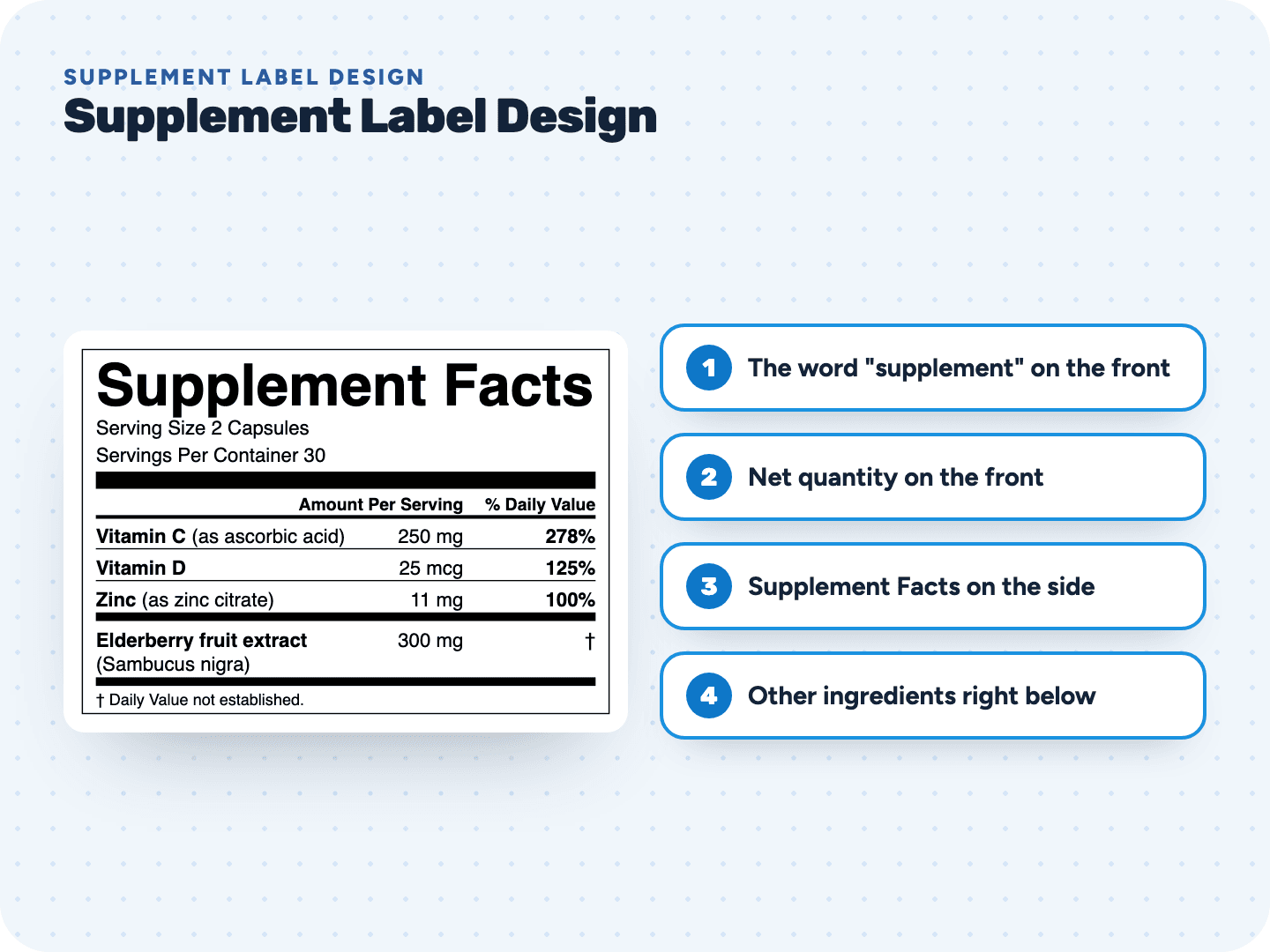
Lay out the bottle around the real panel
Build your Supplement Facts free and see how much room it takes. No account.
What goes where in a dietary supplement label design
The same package rules as food, plus a few that only supplements have.
A structure/function claim needs a disclaimer you add
Put "supports restful sleep" or "supports healthy joints" on the bottle and the FDA disclaimer has to go with it. Our tool does not add it for you: your designer sets it next to the claim.
What your designer keeps as is in the Supplement Facts
Brand the bottle any way you like. The panel itself follows these rules, and our file already does.
Supplement bottle label design, step by step
- 1Measure the wrapOn a round bottle the front panel is 40% of the label height times the circumference. Product name and net quantity sit inside that strip.
- 2Build the panelEnter your formula per serving in the unit people take: capsules, gummies, scoops or softgels. Name each source and botanical part.
- 3Download the SVG3 inches wide at actual size. Tick the box to add Other ingredients and the Contains line directly under the panel.
- 4Place it at 100%Ingredient lines are built at 8 point. Shrink the panel and they fall below the minimum.
- 5Add claims and the disclaimerYour designer sets any structure/function claim with its disclaimer, in bold, beside the claim or linked by an asterisk.Structure Function Claims →
- Send it to your printerGive the actual-size PDF to the supplement label printer you choose. We make the files; any printer can run them.Food Label Printer →
Pay only when you print
Supplement label design questions
Something else? Send us a question. We reply by email as soon as we can.
We make the part with strict rules: the Supplement Facts panel and the Other ingredients and Contains lines under it. The rest of the label is yours to design, or your designer's: logo, colors, product name and claims. You place our panel into that design.
Yes. Our blank and fillable Supplement Facts templates are free to download as PDF, Word, SVG and PNG. Use them for mockups, then build the real panel from your formula so every amount and % Daily Value is right. Blank Supplement Facts Label →
No. The tool builds the Supplement Facts panel only. If your label makes a structure/function claim, add the disclaimer yourself, in bold type at least 1/16 inch high, next to the claim or linked to it with an asterisk. Start a label →
Yes. It may go on the front panel or on the information panel, the one directly to the right of the front. Most brands keep the front for the name, the claim and the count.
No, we don't print or ship labels. You get a vector PDF at actual size that any supplement label printer can run, plus an SVG for your designer and a 600 dpi PNG.
Yes. Build the panel here, then place the SVG or PNG in the design tool you already use. For a short run, our print sheets come in Avery 5126, 5168, 5164 and 5163 layouts on US Letter. Avery Food Labels →
Related pages
See your label before you pay anything
Free preview, no account. $29 when you're ready to print.